The LUT From My iPhone 18 Pro Review
Every clip in the review was colored with this one LUT. It takes Apple Log 2 to Rec.709 and applies my light film print look in the same step, built and verified on real iPhone 18 Pro Max footage.
✓ For iPhone 17 Pro and 18 Pro · ✓ Instant download · ✓ Works in Resolve, Premiere, Final Cut & CapCut
GIVE IT A look
Apple Log 2 On The Right, LUT On The Left.
Daylight skin
Daylight is where I care the most about skin, the LUT keeps faces warm and natural without turning green.
River and sky
Puts blue back into the water and the sky, and lifts the autumn trees on the far bank out of the haze.
Low light indoors
Lamps stay warm and shadows keep clean without turning milky.
My light film print, applied to Apple Log 2 in one step:
- Rich skin tones
- A gentle highlight roll-off
- Contrasty blacks
- Greens and blues lightly muted
This is built to be a look you can use all day, every day.
All measured and dialed in: middle gray lands at 45 percent signal, and true black sits at 2 percent instead of being crushed, keeping detail in your shadows to work with.
Built and tested on iPhone 18 Pro Max footage in DaVinci Resolve, Adobe Premiere, & Final Cut.
LET ME TELL YOU
Why I Made Two LUTs For This Phone
Every clip in my iPhone 18 Pro review was colored with this LUT.
Filming in LOG comes with a catch: record it in the native iPhone camera app and you are stuck with a really low contrast, desaturated preview the whole time you are filming. This is why most people try Log once and then turn it off forever.
But I love LOG, and I want you to love it too.
So I made two LUTs.
A conversion LUT (that is completely free), because I want to help you film faster. Drop it on and your Apple Log 2 clips are saturated and contrasty again, in one click.
The second LUT takes all your footage to the next level, combining conversion and a film look in one step.
Drop it on. Export your video. Love it.
Apple Log 2, flat out of the phone→Free conversion LUT. Get it here→This LUT. Conversion + the look, one click
Not ready to buy? The free one is yours either way.

Hey, I'm Matt by the way.
I have been filming weddings for 15 years, and for the last 11 I have graded every one of them with my own LUTs. Over 4,000 filmmakers grade with them now.
I built this LUT for my own iPhone footage first, in DaVinci Resolve, and graded my own work with it before I ever put it up for you.
Reviews from Real filmmakers
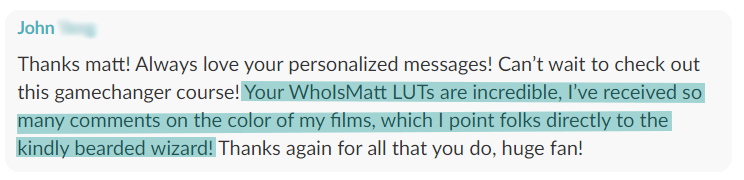
4,000 filmmakers grade with my LUTs. Here's two of them:
✓ Verified customer
“The LUTs are awesome! Actually helped me with my new wedding film, actually regrading it with them! Learned so much and it really has helped shape my craft.”
Richard A., filmmaker
Pricing
Get The LUT
One look for $19, paid once. Yours to keep.
Not right for you? No sweat, email me and I will give you a refund.
✓ Instant download · ✓ .cube file, works anywhere · ✓ Yours to keep, no subscription · ✓ Stuck? Email me and I will help!
FAQ
Got Questions?
What is the difference between this and the free one?
How is this different from Apple's own Log 2 conversion LUT?
Which iPhones does this work with?
How do I turn on Apple Log 2?
What software does it work in?
Anything to switch off in my editor?
What is included?
Should I use the LUT or the PowerGrade?
How hard is it to install?
What if the LUT isn't right for me?
IT'S YOUR CHOICE
Three Ways Your Next iPhone Clip Goes
1
You keep filming in standard mode, and the phone decides your look for you.
2
You film in Log, drop a plain conversion on it, and start every clip from neutral.
3
You grab the LUT, and the clip is finished the moment you drop it on. Log 2 in, film print out.
I know which one I would pick...
✓ Instant download · ✓ Works in Resolve, Premiere, Final Cut & CapCut · ✓ Yours to keep, no subscription
Your color grading friend,
Matt
PS. Not ready? The free conversion LUT is right here.